

- 6.7
Key Points
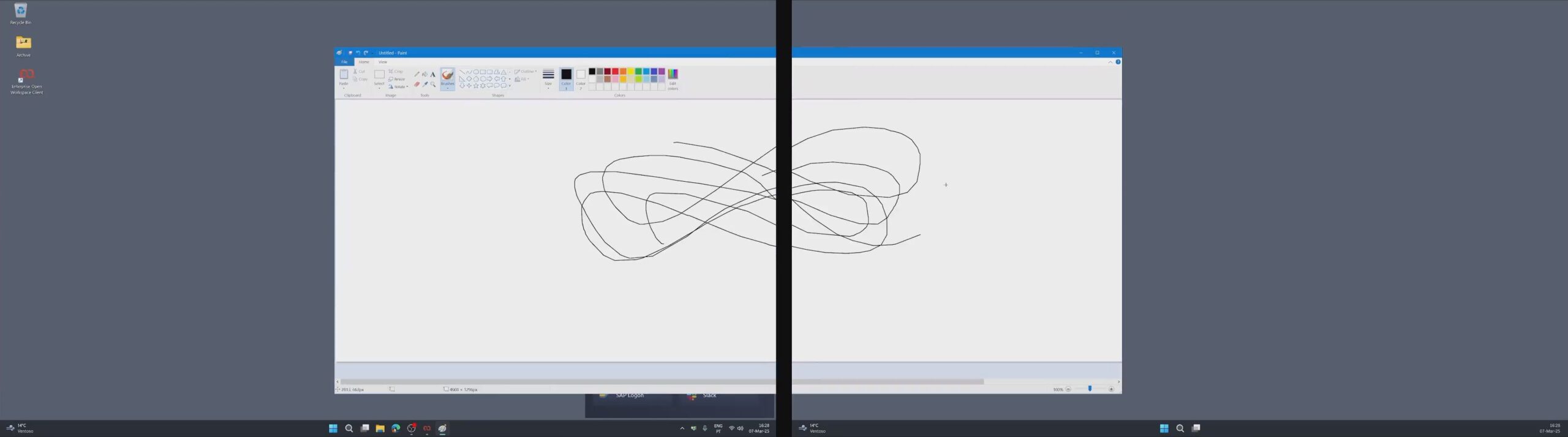
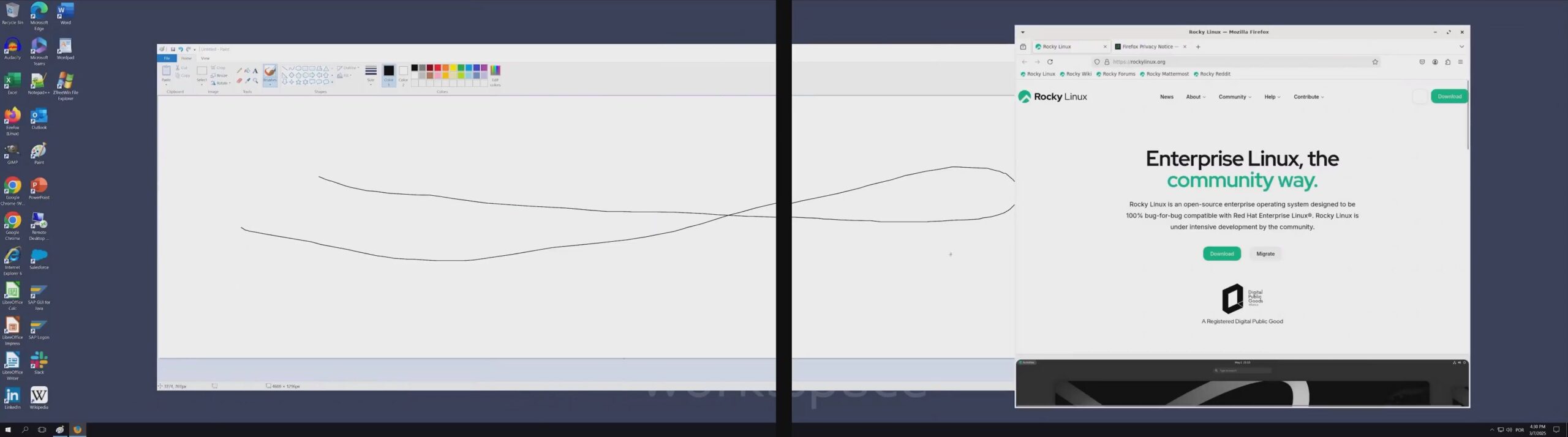
- Multi-Monitor Support & Flexible Configurations: Use two or more monitors effortlessly in both Desktop Mode and Application Mode.
- Cross-Platform Compatibility: Enjoy consistent multi-monitor experiences across Windows, Linux, and macOS.
- High-Resolution & Scale Factor Management: Seamlessly handle different resolutions and mixed scaling factors (e.g., 100%, 200%).
- Optimized for Desktop & Application Modes: Extend your entire remote desktop across multiple screens or launch individual remote apps in multi-monitor scenarios — windows can be moved or maximized across monitors with ease.
- Smooth Window Transition: Easily drag and drop windows between monitors with minimal latency or resizing glitches.
Experience Seamless Multi-Monitor Support
Multi-Monitor is an EOW feature that enables desktop and application sessions to leverage multiple monitors across Windows, Linux, and macOS clients. Whether you’re running a virtualized desktop or individual remote applications, EOW now maximizes your productivity by fully supporting dual monitors, different resolutions, and even varying scale factors.
Why Multi-Monitor for EOW?
- Boost User Productivity: Users can multi-task across multiple displays just as they would on a local machine—ideal for data analysis, content creation, or helpdesk scenarios.
- Consistent Cross-Platform Experience: Standardized multi-monitor handling on Windows, Linux, and macOS means minimal training and uniform workflows.
- Scalable Performance: Fine-tune resolution and scaling to balance performance with visual fidelity, including low-bandwidth environments where you may choose a “low-quality” connection profile.
- Future-Ready Integration: Designed to work alongside advanced EOW features like Application Streaming, Virtual Desktop Infrastructure, and Session Watermark.
Get Started Today
Multi-Monitor Support is available in EOW’s Desktop and Application modes for Windows, Linux, and macOS. Want to see it in action or learn more? Contact our team or your local EOW partner to unlock the full power of multi-monitor workflows in your organization.


Recommended For You

CIS Virtualizes Bank Branches
CIS Virtualizes Bank Branches
NOS Virtualizes Critical Applications
NOS Virtualizes Critical Applications
CHBV Optimizes Workstation Costs