

- 6.8
Key Points
- Remote Workers: “My internet is fine, but the app is slow.” Check Session Diagnostics. If Internet Latency is 150ms, it’s time to move closer to the router. Empower users to fix their own environment.
- IT Administrators: Troubleshoot intermittent issues with data. See if a specific gateway is adding latency (Gateway Latency > 100ms) or if a specific user’s device is underpowered (Local CPU > 90%).
- Compliance Officers: Verify that external contractors are connecting via approved protocols and that their local endpoint security posture meets requirements (OS Version checks).
Total Transparency into Your Connection Health
Stop guessing why your session is lagging. Get granular, real-time insights into your network, hardware, and protocol performance with a single click—empowering users to self-diagnose and IT to resolve issues faster.
Use, Don’t Guess.
When performance dips, is it the Wi-Fi? The ISP? Or the server? Session Diagnostics eliminates the blame game.
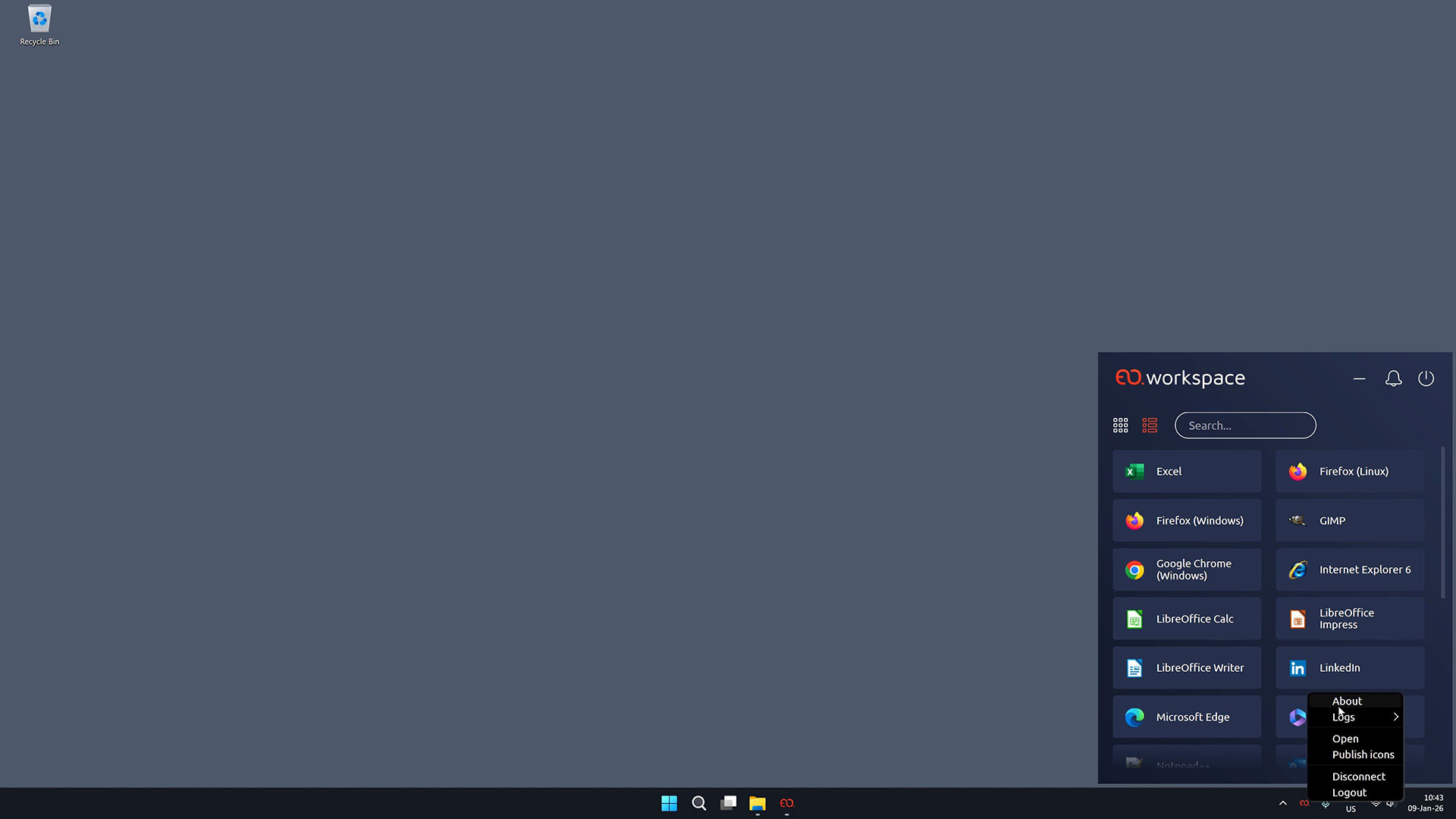
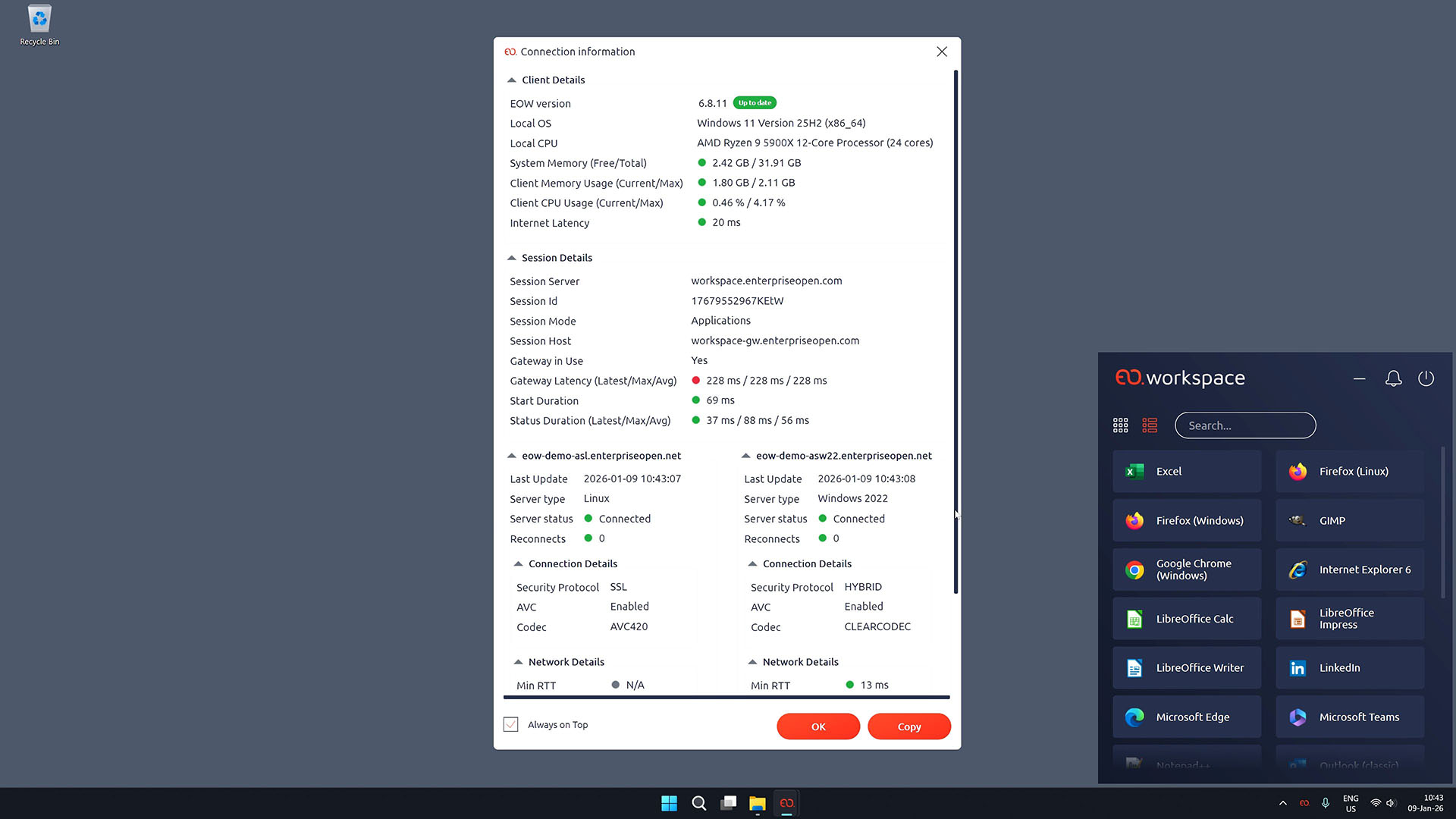
By providing a live telemetry overlay directly within the workspace client, we give both end-users and administrators a complete “X-Ray” view of the entire session path. From local CPU throttling to internet latency and gateway hops, every potential bottleneck is measured, analyzed, and visualized in real-time.
🔍 End the “It’s Slow” Mystery
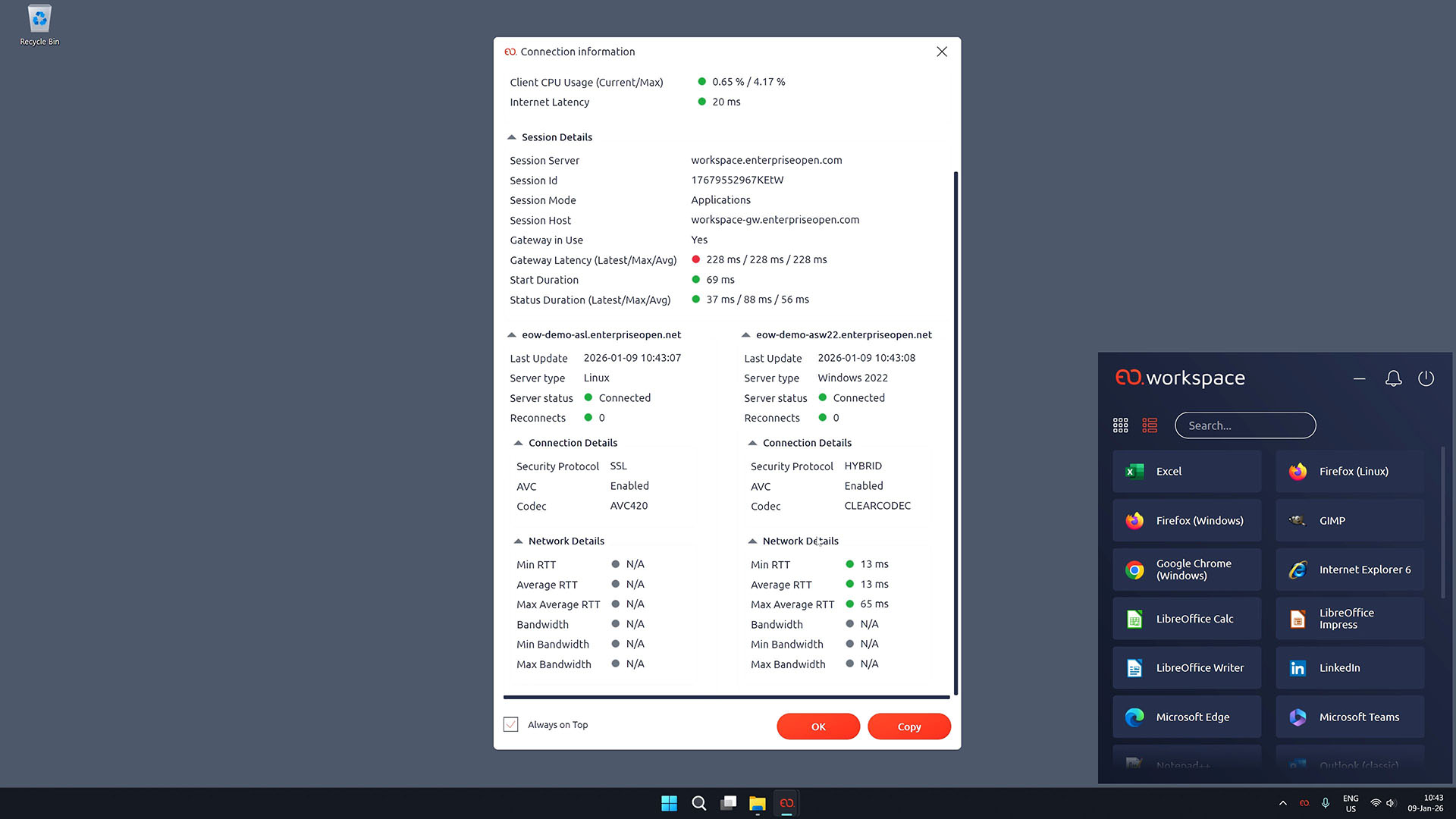
Instantly distinguish between a slow home internet connection (Internet Latency) and a congested corporate gateway (Gateway Latency). Users can see if their local Wi-Fi is the culprit before opening a ticket.
💻 Local Hardware Awareness
Your session is only as fast as your endpoint. Session Diagnostics monitors Local CPU and RAM usage on the client device, alerting users if their own hardware (e.g., Chrome eating 90% RAM) is impacting the remote experience.
🛡️ Protocol verification
Confirm your security and quality standards instantly. Different connection types (“SSL”, “Hybrid”) and video codecs (“AVC444”, “ClearCodec”) are clearly displayed, ensuring you are getting the visual fidelity and encryption level you expect.
⚡ Real-Time Network Telemetry
Monitor jitter, average round-trip time (RTT), and bandwidth consumption per second. Whether you are on a bumpy 4G mobile connection or fiber, see exactly how your connection is adapting.
🛠️ Accelerated Help Desk
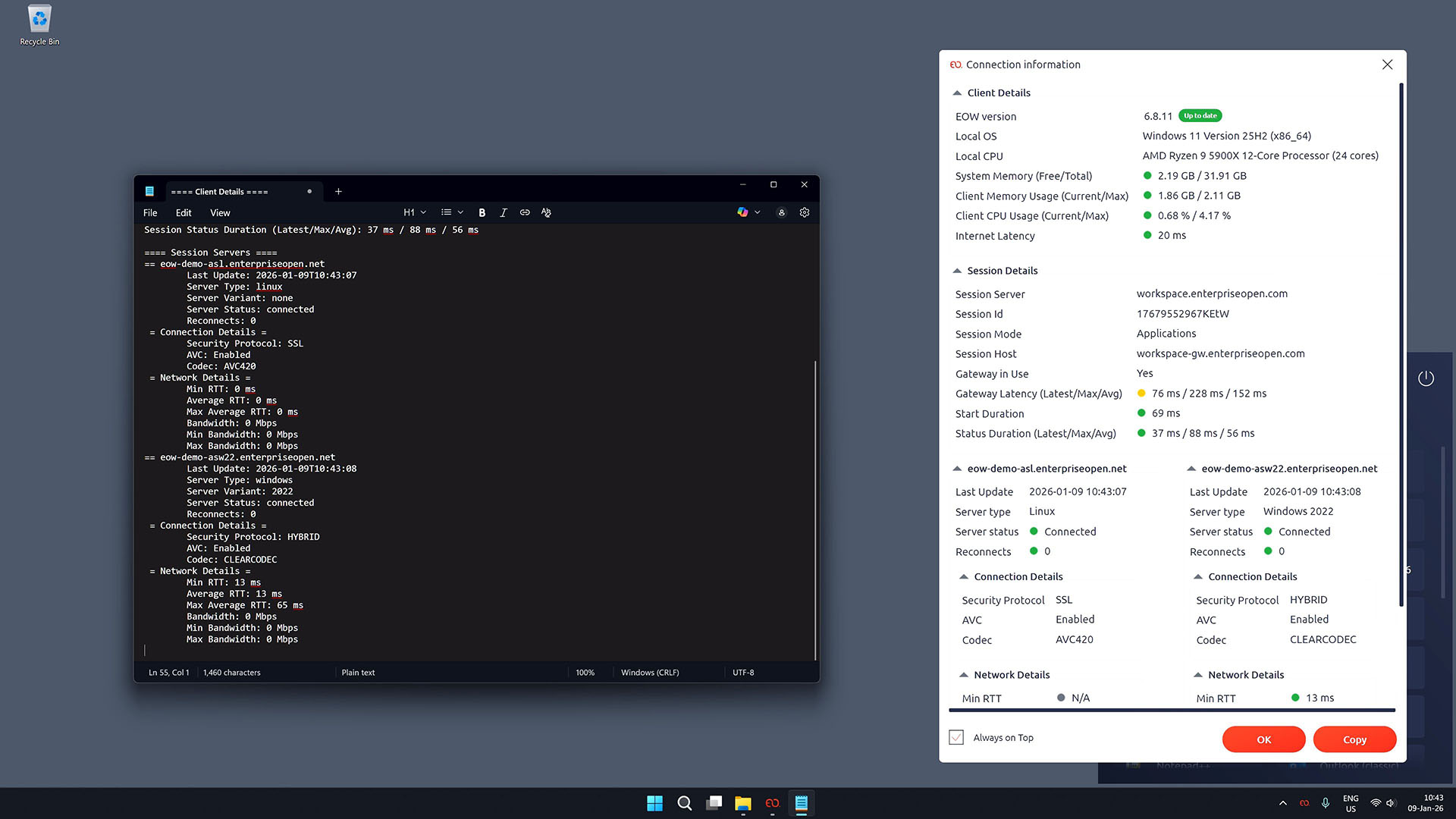
When support is needed, users can simply copy/paste the “Session Details” block. This gives IT a precise snapshot of the environment (OS version, Client Version, Session ID) without 20 minutes of back-and-forth questions.
Ready to See What’s Happening Under the Hood in Your Virtual Workspace?
Ensure peak performance and resolve connectivity issues in seconds, not hours. Give your users the clarity they deserve. Contact us to learn more about how to revolutionize your virtualization deployments with EOW.
Recommended For You

CIS Virtualizes Bank Branches
CIS Virtualizes Bank Branches
NOS Virtualizes Critical Applications
NOS Virtualizes Critical Applications
CHBV Optimizes Workstation Costs